Canva lets you upload your own fonts on a Pro plan, and the process trips people up in the same two places every time. Neither is a fault in the font.
It wants TTF or OTF, not a web font
Canva accepts .ttf and .otf and will refuse a .woff2. That catches people who took the web download because it was smaller — the small one is for websites and the operating system, and Canva, will not open it. Take the main zip from any font page here, or convert the web font back if that is all you have.
It wants one file per weight
This is the real problem. Canva’s upload form asks you to tag each file as a specific weight and style — Regular, Bold, Italic, Bold Italic. A variable font is one file carrying every weight at once, so tagging it Regular gives you Regular and nothing else. The font is fine; Canva simply is not asking the file the right question.
The fix is the static download. Every variable family on this site ships a second zip with one ordinary file per weight, precisely because Canva, Word and older Photoshop all behave this way. Upload the ones you want, tagging each with its real weight, and the family works normally. The variable font post explains the difference in full.
Can you use these commercially in Canva?
Yes. Every font on this site is under a licence permitting commercial use with no fee and no attribution — client work, products you sell, and designs you sell as templates. Uploading a font to Canva for your own use is not redistribution. If you sell a Canva template that embeds the font, the licence file should travel with it. What the OFL allows has the detail.
Faces that hold up in the kind of work Canva is used for
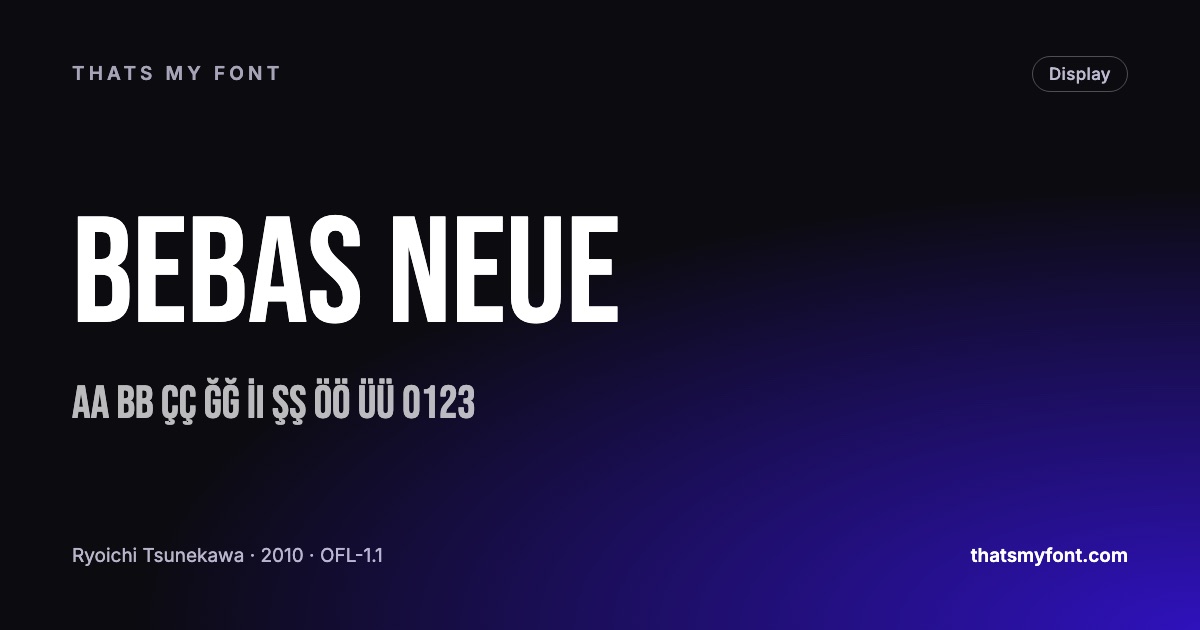
Social graphics, presentations and posters are set large and read fast. Bebas Neue and Anton are condensed and heavy enough to carry a square image. Outfit and Manrope are clean geometrics for the text underneath. Playfair Display is the one to reach for when something needs to look expensive.
| Family | Variable download | Static download |
|---|---|---|
| Bebas Neue | None published | 30 KB1 file |
| Anton | None published | 80 KB1 file |
| Outfit | 58 KB1 file | 270 KB9 files |
| Playfair Display | 270 KB2 files | 1.0 MB12 files |
Where an uploaded font lives once it is in
Uploads go into a Brand Kit rather than into the font list generally, which catches people out in two ways. If you work in more than one brand, the font is only in the one you uploaded it to. And if you share a design with somebody outside the team, they see the design with the font baked in, but they cannot use the font themselves until it is in a kit they can reach.
That is a licensing convenience rather than a restriction: the fonts here may be passed to a colleague, a client or a printer freely, as long as the licence file goes with the font file. What Canva is doing is keeping your uploads out of everybody else’s font menu, which is the sensible default.
When the upload is refused
- A .woff2, .woff or a zip: Canva takes .ttf and .otf files only. Unzip the download first and upload the font files inside it.
- A file whose internal name collides with a font Canva already has. Rare, and the fix is to upload the static build instead of the variable one.
- A font with no permission to embed set in its metadata. Nothing in this archive has that problem — every family here is licensed for exactly this — but paid and "free for personal use" fonts often do.
- Very large families. There is no point uploading eighteen weights; three or four is all a design ever uses, and each upload is a separate step.
Working around the weight problem for good
The reliable routine, once you have done it twice, is: take the static zip from the font page, unzip it, and upload only Regular, Medium or Semibold, and Bold, tagging each with its real weight. Skip the italics unless the design needs them. Four files, two minutes, and the family behaves like any built-in Canva font from then on. The reason this is necessary at all is in what a variable font is.
One detail worth knowing: if a weight looks wrong after uploading — a Bold that is barely heavier than the Regular, for instance — check what you tagged it as rather than the file. Canva trusts the tag you chose, not the name inside the font, so a mis-tagged upload produces exactly the symptom of a broken font.
| Family | Weights in the file | Installs as | Way out |
|---|---|---|---|
| Bebas Neue | 400–400 | 00 | Noneno static build |
| Anton | 400–400 | 00 | Noneno static build |
| Outfit | 100–900 | 100Thin | Static download9 files |
| Playfair Display | 400–900 | 400Regular | Static download12 files |
Templates you sell, and the font inside them
Selling a Canva template raises a question uploading one does not: the buyer opens your design and needs the font to edit it. Because the font is in your brand kit rather than in the file, they will see a substitution unless they have it too — which is the one place a template author has to think about licensing.
With the families here the answer is simple: tell the buyer which font it is, link to the page, and they download the same file you did. You may also include the font file itself with the template, as long as the licence text goes with it. Neither is possible with a paid font, which is why so many template shops are built on open families. The detail is in what the Open Font License lets you do.